Security Clearance: Matching & Filters
Last updated: March 28, 2025
Spend less time screening candidates who don’t qualify.
Security Cleared Candidates (UK)
Candidates can disclose their level of security clearance when they set up or edit their hackajob profile. They can choose from the following options:
No security clearance
Security Check (SC) (Current)
Developed Vetting (DV) (Current)
Security Check (SC) (Previous)
Previous Developed Vetting (DV) (Previous)
Some candidates may not be able to disclose their level of clearance. In this case, they can select
Cleared to a high Government standard
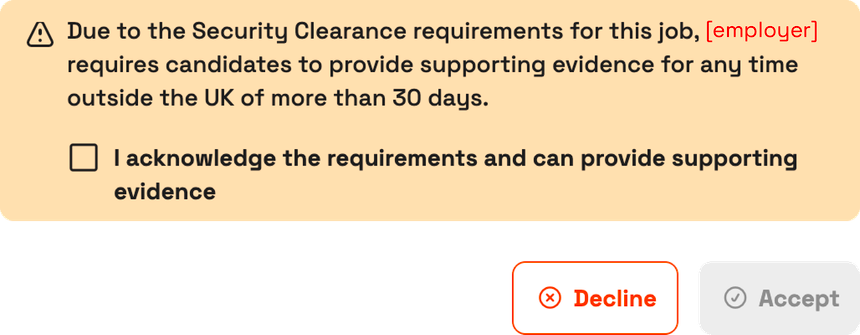
When a candidate receives an interview request for a job that requires security clearance, they must confirm that they can provide supporting evidence, depending on the type of clearance they hold.
Security Clearance (SC) Filters
You can update security clearance requirements when you create or edit a job.
Create a new job with SC requirements
When you create a new job, you can refine your search, before viewing candidates.
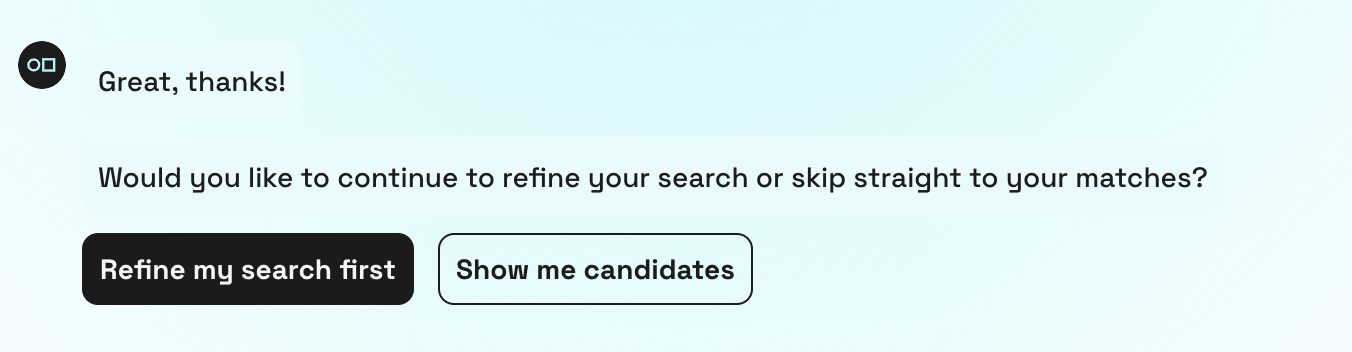
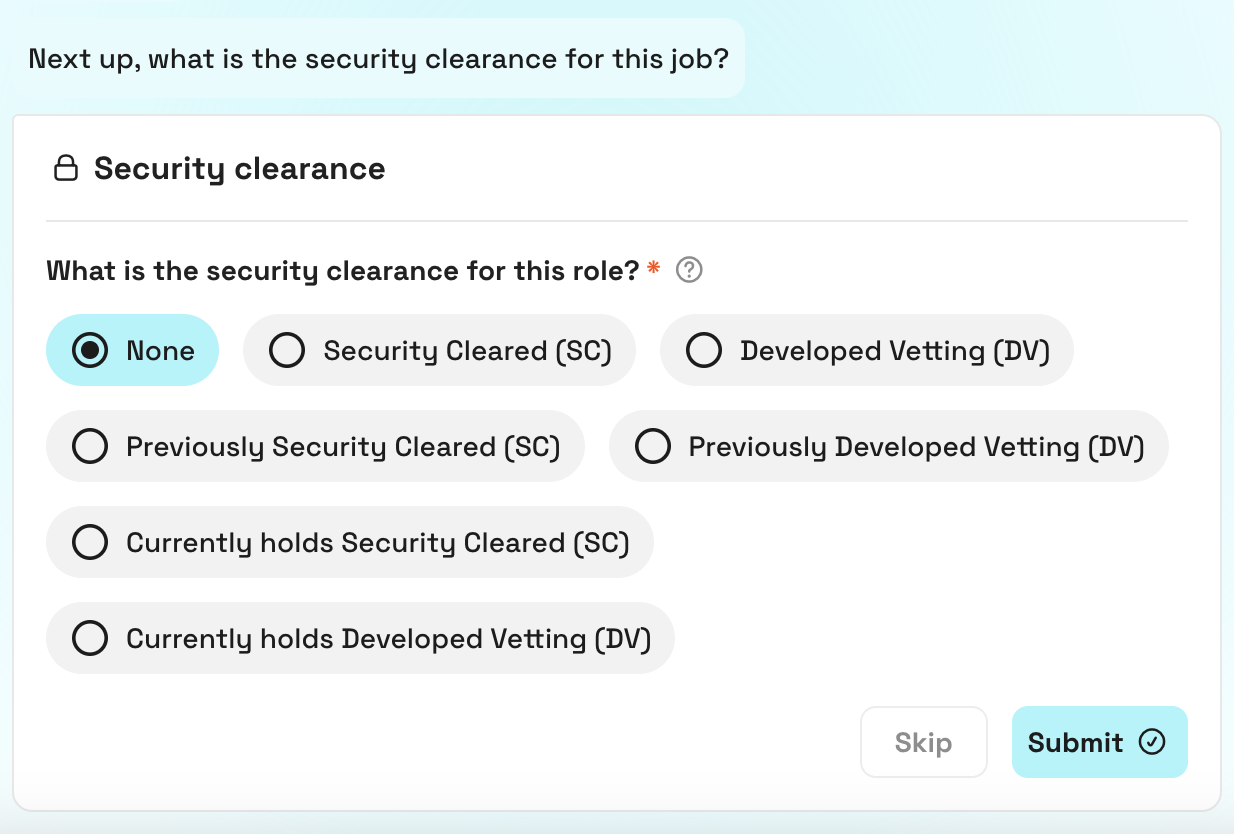
Follow the steps until you reach the security clearance section. There, select the security clearance status you want candidates in your matches to have.
Add SC requirements to an existing job
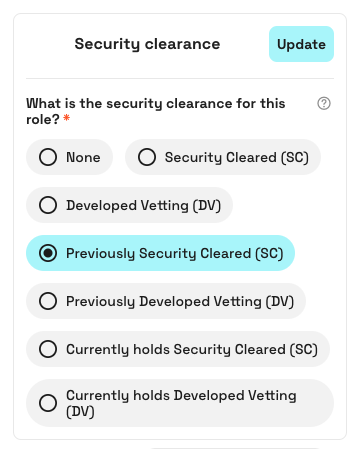
From your Source dashboard, select the job you want to edit.
Open the filters on the left-hand side and select the security clearance filter. Choose a security clearance status, then click 'Update' to filter your matches accordingly.
Your matches
Candidates who meet your job’s required skills and security clearance criteria will be displayed in your matches, and badges on their profiles indicate their security clearance status.
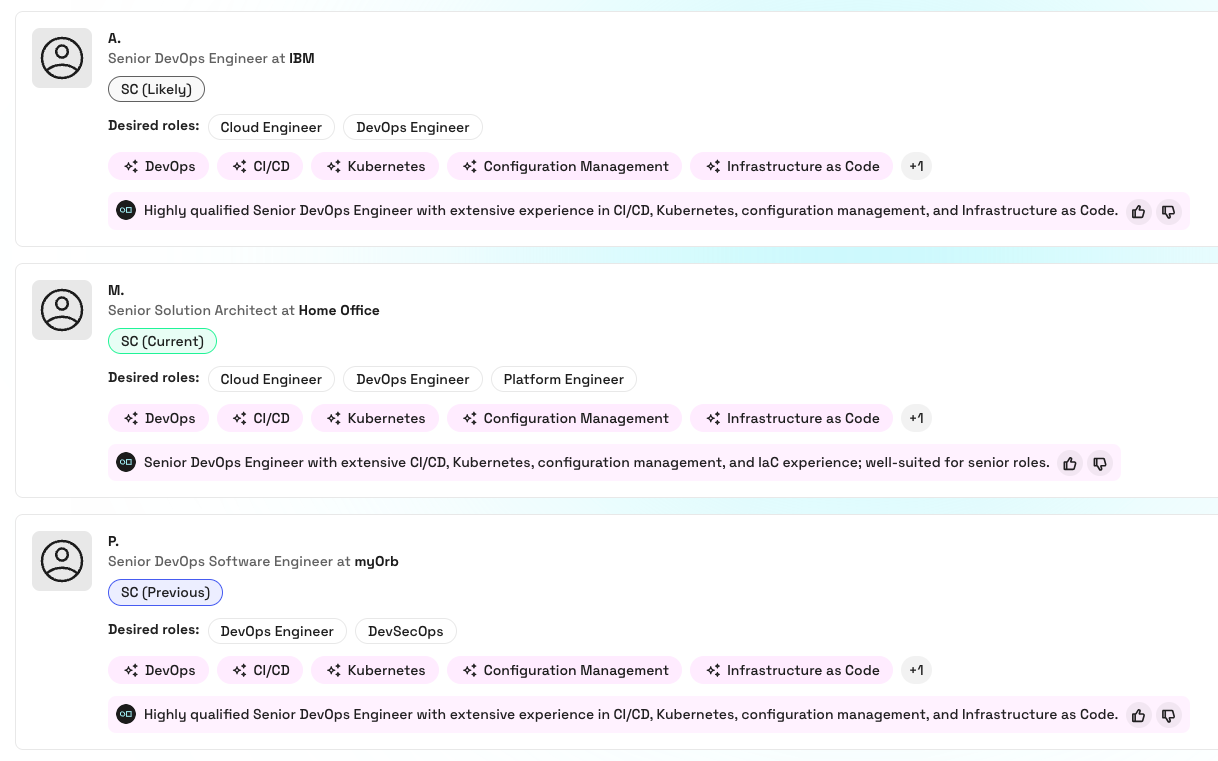
Each type of security clearance badge is displayed in a different colour:
⬜ Likely to be eligible for SC or DV clearance.
🟩 Security Cleared (current) or Developed Vetting (current)
🟦 Security Cleared (previous), Developed Vetting (previous), or Cleared to a high government standard
Security Clearance Statuses - Matching Logic
Security Cleared (SC)
Candidates who are eligible for security clearance, currently hold Security Clearance (SC), or previously held Security Clearance (SC) will match the role.
Developed Vetting (DV)
Candidates who are eligible for security clearance, currently or previously held Developed Vetting (DV), or are cleared to a high government standard, will match the role.
Previously Security Cleared (SC)

Candidates who currently hold Security Clearance (SC), or previously held Security Clearance (SC) will match the role.
Previously Developed Vetting (DV)

Candidates who currently or previously held Developed Vetting (DV), or are cleared to a high government standard, will match the role.
Currently holds security clearance (SC)

Only candidates who currently hold Security Clearance (SC) will match the role.
Currently holds Developed Vetting (DV)

Only candidates who currently hold Developed Vetting (DV) or are cleared to a high government standard will match the role.
Eligibility for Security Clearance and Developed Vetting
When a grey badge ⬜ is displayed on a candidate’s profile it means that they meet the following requirements and are likely to be eligible for SC or DV clearance:
Security Clearance (SC)
Visa Status
British Citizen or Indefinite Leave to Remain or Settled / Pre-Settled
Current Location
United Kingdom
Working Locations
A minimum of three years in the UK (if the candidate has less than three years of work experience, all of their previous roles must be based in the UK).hree years in the UK (if the candidate has less than three years of work experience, all of their previous roles must be based in the UK).
Developed Vetting (DV)
Visa Status
British Citizen or Indefinite Leave to Remain or Settled / Pre-Settled
Current Location
United Kingdom
Working Locations
A minimum of ten years in the UK (if the candidate has less than ten years of work experience, all of their previous roles must be based in the UK).
Security Cleared Candidates (US)
Candidates can disclose their level of clearance when they set up or edit their hackajob profile. They can choose from the following options:
Security Clearance
No security clearance
Confidential (C)
Previous Confidential (C)
Current active Secret (S)
Previous Secret (S)
Top Secret (TS)
Previous Top Secret (TS)
Top Secret/Sensitive Compartmented Information (TS/SCI)
Previous Top Secret/Sensitive Compartmented Information (TS/SCI)
Polygraph
No polygraph
Counter Intelligence (CI) Polygraph
Previous Counter Intelligence (CI) Polygraph
Full-Scope Polygraph
Previous Full-Scope Polygraph
Security Clearance (SC) Filters
You can update security clearance requirements when you create or edit a job.
Create a new job with SC requirements
When you create a new job, you can refine your search, before viewing candidates.
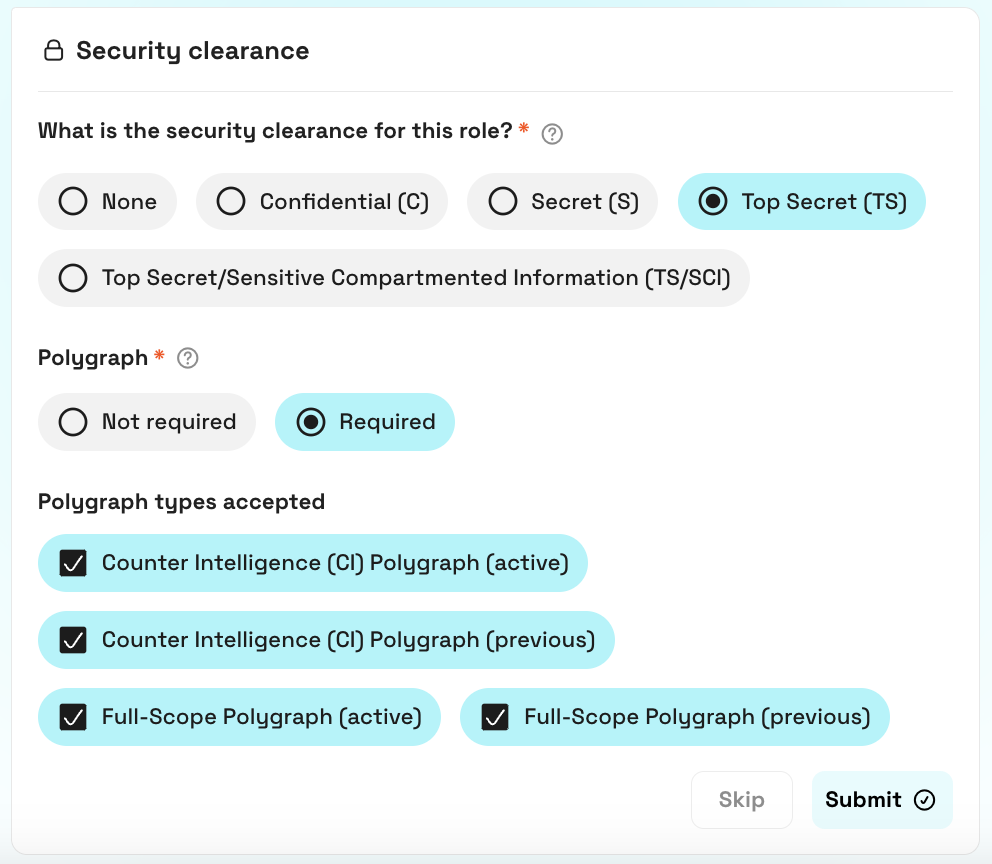
Follow the steps until you reach the security clearance section. There, select the type of clearance required for the role.
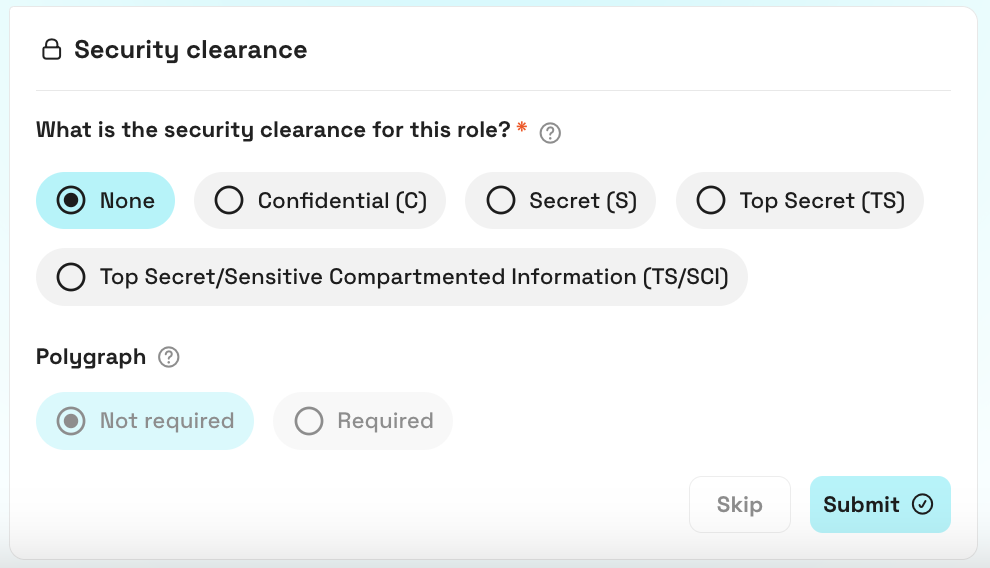
You'll then have the option to choose whether Polygraph is required.
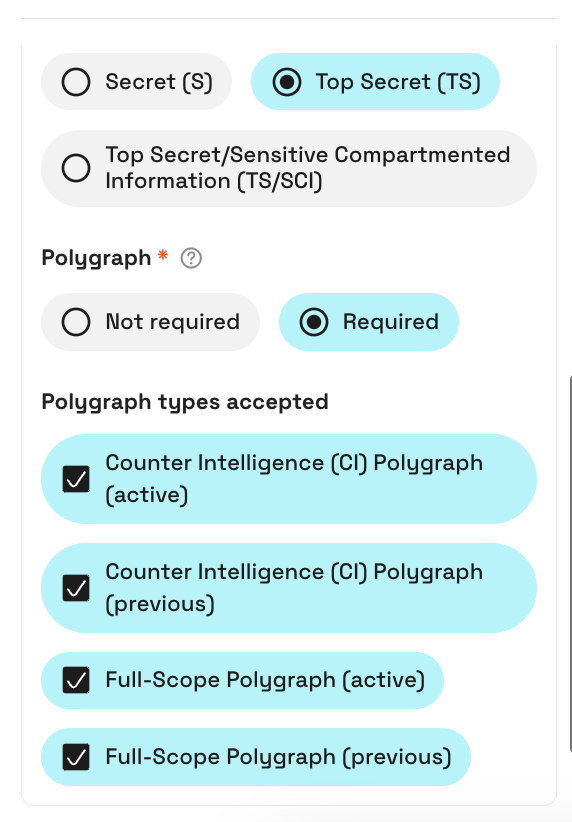
Active means candidates will match your job who currently hold the Counter Intelligence (CI) or Full-Scope Polygraph clearance.
Previous means candidates will match your job who have held Counter Intelligence (CI) or Full-Scope Polygraph clearance in the past.
Add clearance requirements to an existing job
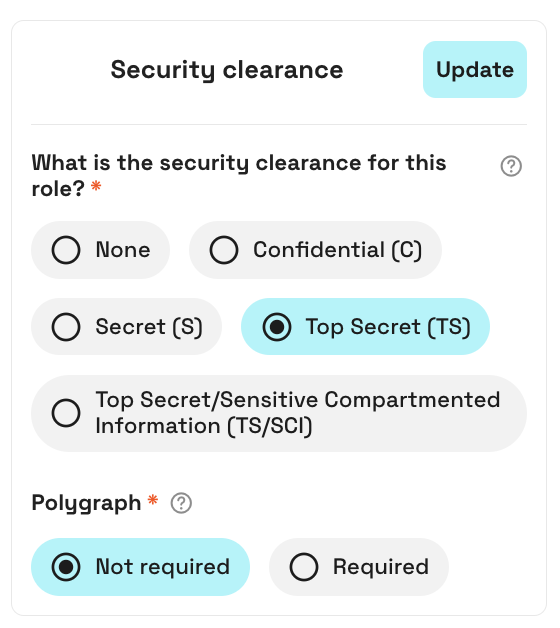
From your Source dashboard, select the job you want to edit.
Open the filters on the left-hand side and select the security clearance filter. Choose the relevant clearance and polygraph status, then click 'Update' to filter your matches accordingly.
Your matches
Candidates who meet your job’s required skills and clearance criteria will be displayed in your matches, and badges on their profiles indicate their clearance status.
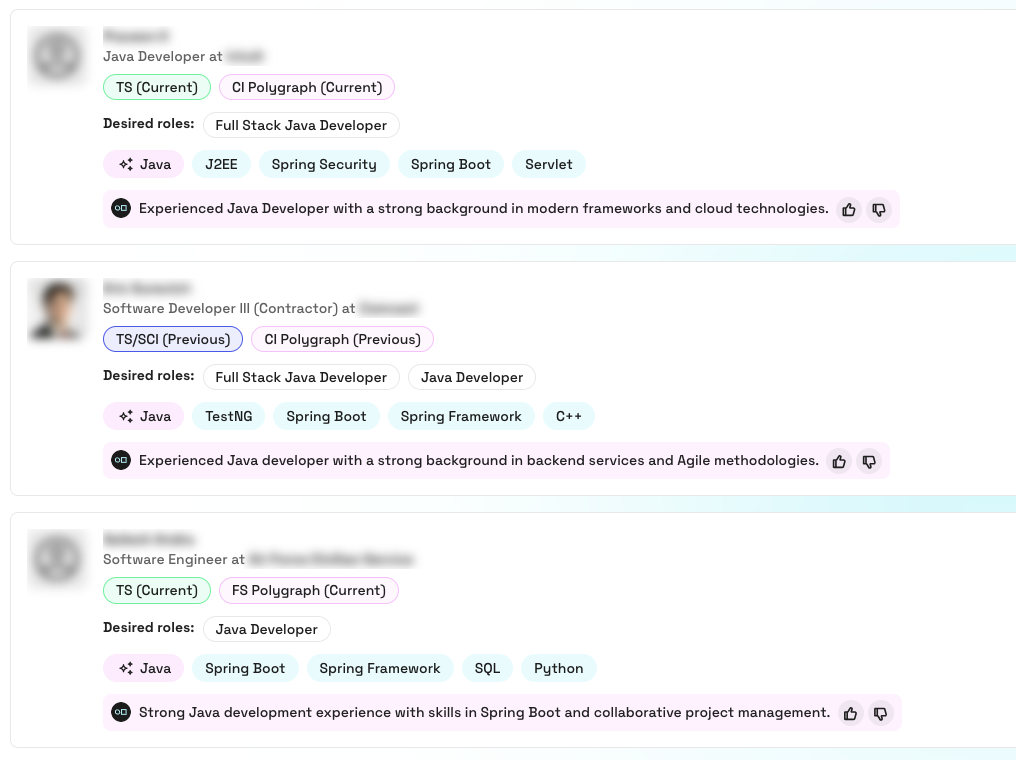
Each type of clearance badge is displayed in a different color:
🟩 Currently holds Confidential (C), Secret (S), Top Secret (TS), or Top Secret/Sensitive Compartmented Information (TS/SCI)
🟦 Previously held Confidential (C), Secret (S)Top Secret (TS), or Top Secret/Sensitive Compartmented Information (TS/SCI)
🟪 Currently holds Counter Intelligence (CI) Polygraph or Full-Scope Polygraph
FAQ
What happens when a candidate’s security clearance expires or is revoked?
We do not collect expiry dates for clearances from candidates, but they have the opportunity to update their security clearance when going back on the market.
Can candidates update their security clearance level at any time?
Yes, candidates have the flexibility to update their security clearance level within their profile settings at any time.
Do candidates have to disclose their exact type of security clearance?
Sometimes candidates may not be able to disclose their level of clearance, but instead can use more general terms. By selecting ‘Cleared to a high government standard’ on hackajob, they indicate that they hold security clearance without specifying the exact type.
Are candidates restricted by their visa type when they disclose their level of security clearance?
No. Candidates can hold any visa status type that provides them the right to work in the UK or US when they disclose that they hold or have held security clearance.
Please note that when a candidate receives an interview request for a role that requires security clearance, they must confirm that they can provide supporting evidence, depending on the type of clearance they hold.*